
| Exam Code | MB-800 |
| Exam Name | Microsoft Dynamics 365 Business Central Functional Consultant |
| Vendor | Microsoft |
| Total Questions | 213 |
| Last Updated | 26-Oct, 2026 |
- Latest & Verified Questions
- Detailed Explanations
- Regular Updates
- Full-Length Practice Tests
- Boost Your Exam Confidence
PDF Study Materials
Downloadable guides and resources
Practice Tests
Full-length tests with real exam experience
Progress Tracking
Monitor your performance and improvement
Study Anywhere
Access on desktop, tablet, and mobile
Free MB-800 Practice Questions
Explore 4 free practice questions for the Microsoft MB-800 exam and review the answers and explanations to support your preparation.
-
Question 1
Drag & DropYou need to resolve the reconciliation issues.
NOTE: Each correct selection is worth one point.
How should you complete the setup? To answer, select the appropriate options in the answer area.Show Answer & Explanation Hide Answer & Explanation
Correct Answer
1. Configuration Options (All Available Fields)
Restrict use on:
General Ledger Setup
Sales & Receivable Setup
G/L Account Card
Chart of Accounts
Set value for:
Reconciliation account
Direct posting
Check G/L account usage
Gen.Posting TypeExplanation
Finalized Selections (Correct Answers)
As highlighted in the lower half of image_43e1bf.png, the correct parameters to map under the Control column are:
Restrict use on: G/L Account Card
Set value for: Direct posting -
Question 2
Drag & DropYou need to configure discounting for sales.
Which three actions should you perform in sequence? To answer, move the appropriate actions from
the list of actions to the answer area.Show Answer & Explanation Hide Answer & Explanation
Correct Answer
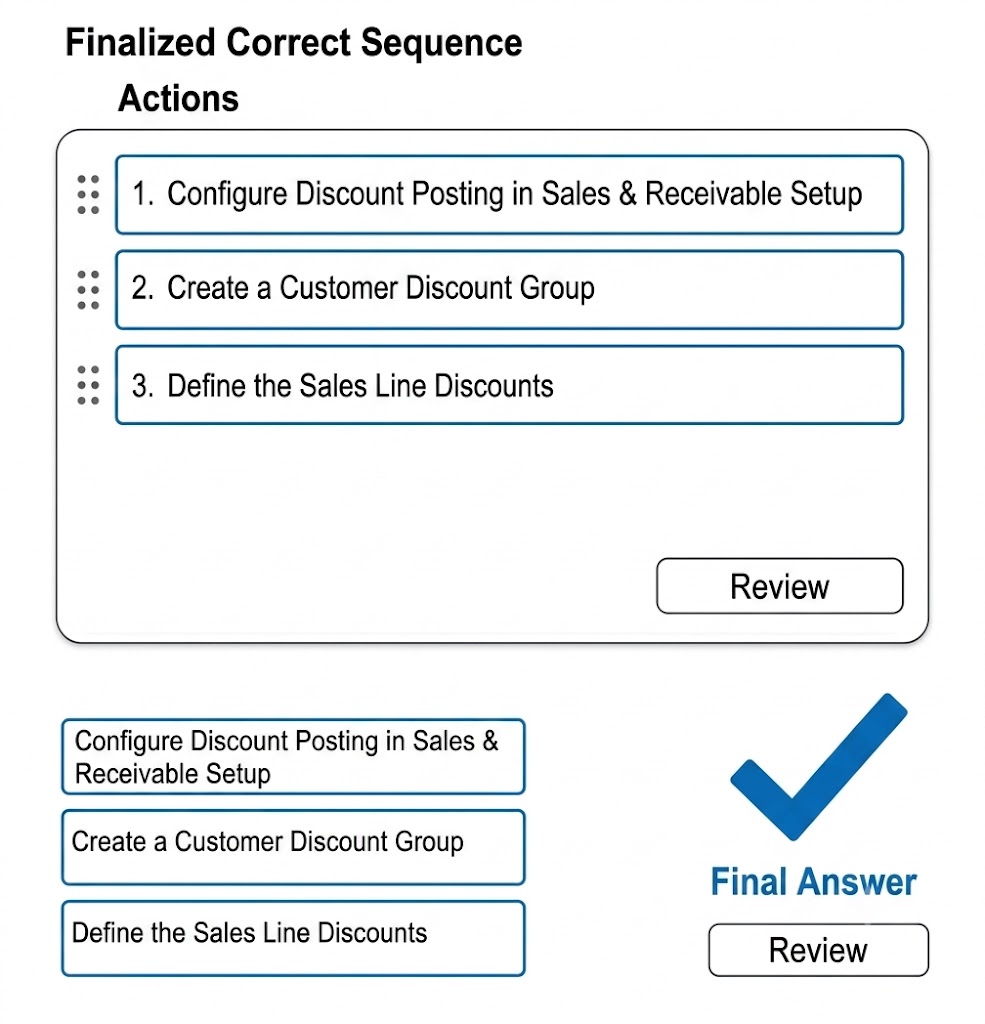
Explanation
-
Question 3
Single answerYou need to configure sales for the cash and carry desk. What should you select?
-
Option A:Correct
Payment Service
-
Option B:Correct
Direct Debit Mandate with a value of OneOff for Type of Payment
-
Option C:Correct
Payment Method with a value of Bank Account for Balance Account
-
Option D:Correct
Payment Terms with a value of 0D for Due Date Calculation
Show Answer & Explanation Hide Answer & Explanation
Correct Answer: D
Explanation
-
-
Question 4
Drag & DropHOTSPOT You need to report profitability by business line. How should you configure the system? To answer, select the appropriate options in the answer area. NOTE: Each correct selection is worth one point.
Show Answer & Explanation Hide Answer & Explanation
Correct Answer
Action Control Configuration
Action Control Options Create a dimension * Value
* Combination
* Default Priorities
* Account Type Default
Assign the dimension * Vendor
* Item Charge
* G/L account
Select a value posting * Blank
* No Code
* Same Code
* Code Mandatory
Explanation
Action Control Selections
Action Control Options (Selected Value in Bold) Create a dimension * Value
* Combination
* Default Priorities
* Account Type Default
Assign the dimension * Vendor
* Item Charge
* G/L account
Select a value posting * Blank
* No Code
* Same Code
* Code Mandatory